
Cricfy TV APK
Sports fans often want quick access to match updates. They also look for convenient ways to follow tournaments. Cricfy TV APK v7.3 is one search term sports fans explore. Before installing any streaming application, users need clear information. They should understand its features, compatibility, and potential risks. This guide explains the important details in simple English.
At flixfoxapps.com.in, our goal is to provide helpful information. We want readers to make informed decisions online. This article explores the Cricfy TV app experience. It also covers installation steps, troubleshooting, and privacy concerns. We do not guarantee uninterrupted streams or specific channels. Availability can change depending on several external factors.
What Is Cricfy TV APK v7.3?
Cricfy TV is an Android application associated with sports streaming. People often search for it before major cricket matches. Some users also explore football and other sports. The app’s name appears in searches for live coverage. However, individual streams may vary across locations.
The term Cricfy TV APK v7.3 refers to a particular version. An APK file contains an Android application’s installation package. Android users sometimes install APK files outside official stores. This process is called sideloading on Android devices. It requires extra care because sources differ in trustworthiness.
Before downloading, confirm the exact version number carefully. A website title alone cannot verify an APK. Check the developer details and available release information. Also review the requested permissions before installation. These simple checks can reduce avoidable security risks.
Why Do Sports Fans Search for Cricfy TV?
Cricket attracts passionate audiences across many countries. Fans follow international matches and domestic competitions closely. They also track fixtures, scores, and tournament schedules. Many people prefer watching matches on their phones. This makes mobile sports applications an attractive option.
Searches for Cricfy TV APK often increase before matches. Users may want information about streaming availability. Others want to understand installation or compatibility requirements. Some visitors simply want to learn about its features. These different needs deserve clear and honest answers.
A streaming app cannot guarantee every requested match. Broadcasting rights differ between countries and competitions. Certain streams may disappear without advance notice. Network restrictions can also affect access in some regions. Always check whether your chosen stream has authorization.
Features
1. Sports Content Discovery
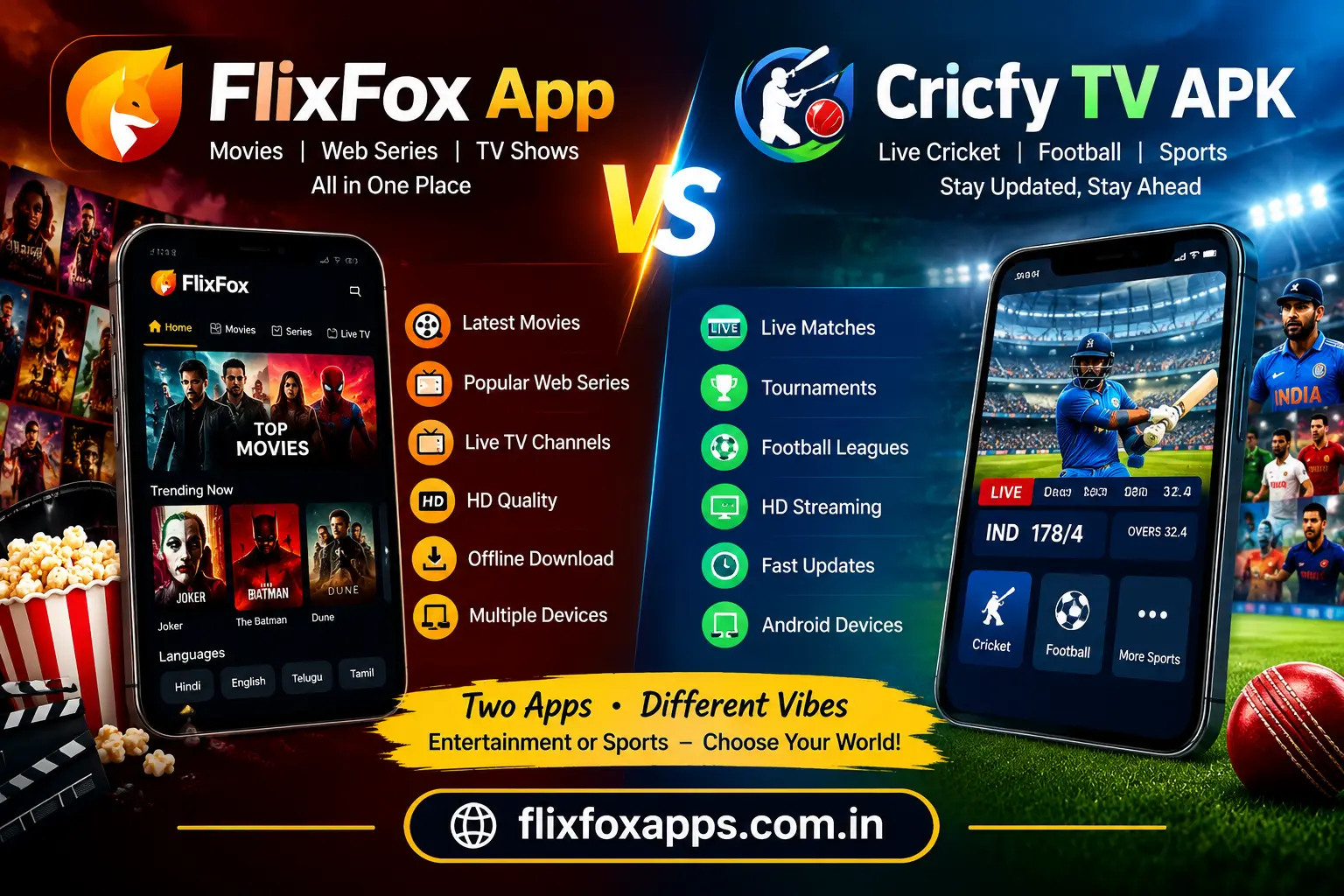
Sports applications may organize content by category or channel. This can help users find relevant viewing options. Some interfaces display cricket and football sections separately. Actual categories depend on the installed application version. Check the interface instead of assuming every feature exists.
2. Cricket Match Following
Cricket fans often search for international and domestic matches. They may follow tournaments such as the IPL or PSL. Interest also extends to international cricket competitions. However, Cricfy TV does not guarantee access to every tournament. Coverage depends on stream availability and broadcasting permissions.
3. Football Content Exploration
Football fans follow leagues and international competitions worldwide. They may search for match streams through sports applications. Coverage can differ by country, competition, and provider. Never assume every league appears inside Cricfy TV. Confirm availability through authorized broadcasters before watching.
4. Mobile Viewing Convenience
Android phones make sports access convenient while travelling. Users can carry their preferred viewing device easily. A suitable screen size can improve the experience. Battery health and mobile data also deserve attention. Long matches can consume significant power and internet data.
5. Application Navigation
A clear interface helps users locate content faster. Menus may group channels or viewing categories together. However, layouts can change between application releases. Your installed version might look different from screenshots. Avoid trusting promotional images as proof of functionality.
6. Playback and Stream Quality
Streaming quality depends on several technical factors. Internet speed affects buffering and playback stability. The source stream also influences picture quality. Older phones may struggle with demanding video playback. No application can guarantee perfect streaming under every condition.
7. Android Device Compatibility
Compatibility depends on the application’s technical requirements. Different Android versions handle applications differently. Storage space and device performance also matter. Check the release information before downloading any APK. Do not assume every Android phone supports version 7.3.
8. Updates and Maintenance
Application updates can change compatibility and interface behaviour. Developers may address bugs or modify existing features. However, an update does not guarantee better streaming. Unofficial packages can also contain unwanted changes. Verify the source before installing a newer version.
Cricfy TV APK v7.3 Information and Version Details
Users often search for exact APK information before downloading. A version number alone does not establish authenticity. File size can also differ between separate builds. Always verify the information supplied by your download source.
Here is a practical checklist for your review.
| App Detail | Information |
|---|---|
| Application name | Cricfy TV |
| Requested version | v7.3 |
| Package format | Android APK |
| Main device category | Android devices |
| App category | Sports and streaming |
| Intended audience | Users exploring sports content |
| Installation method | APK installation, where compatible |
| File size | Verify from the actual download source |
| Minimum Android version | Confirm from reliable release information |
| Developer details | Check before downloading |
| Price and subscription | Verify the current terms |
| Stream availability | Depends on the provider and region |
We cannot independently verify every version-specific detail here. Therefore, treat unconfirmed specifications as information requiring review. This approach helps readers avoid misleading download claims. It also supports a more trustworthy website experience.
How to Check an APK Before Downloading
Downloading an Android package requires careful attention. A familiar app name does not prove authenticity. Fraudulent websites can copy logos and descriptions. Some files may also include unwanted software. Use the following checks before opening any downloaded package.
Check the Download Source
Start by examining the website offering the file. Look for clear ownership and developer information. Review the site’s contact and privacy details. Avoid suspicious pop-ups and forced download buttons. Never trust a page solely because it says official.
Review the Version Information
Compare the advertised version with available release details. Check whether the file name matches its description. Look for unexplained changes in the package information. Missing details should encourage additional caution. Do not install files with unclear origins.
Scan the Downloaded File
Use a reputable mobile security tool to scan downloads. Keep Google Play Protect enabled whenever possible. Security scans can identify some known threats. However, a clean result does not prove complete safety. New or modified malware may escape certain detection methods.
Inspect Requested Permissions
Android applications request permissions for specific functions. Streaming tools may need internet connectivity. Other permissions require a clear explanation. Be cautious about requests involving SMS or contacts. Deny unnecessary access whenever Android allows that choice.
Avoid Modified APK Packages
Modified files can introduce additional security concerns. Their changes may remain undocumented or difficult to inspect. Claims such as premium access need independent verification. Avoid packages promising impossible benefits or guaranteed protection. Choose established, authorized services whenever they meet your needs.
How to Install Cricfy TV APK on Android
The installation process depends on your device and package. First, confirm that your chosen file comes from a trustworthy source. Read its compatibility details before proceeding. Then follow these general Android installation steps.
Step 1: Check Your Android Version
Open your device settings and find its Android information. Compare that version with the application’s requirements. Make sure sufficient storage space remains available. Older devices may lack support for newer packages.
Step 2: Obtain the APK Carefully
Use a source that clearly identifies the developer. Check the version number and package details. Avoid misleading advertisements that imitate download buttons. Do not continue when the source looks suspicious.
Step 3: Review Android Security Warnings
Android may display warnings for external app installations. These warnings help users understand potential risks. Read every message before making a decision. Never disable security protections just to force installation.
Step 4: Allow Installation When Appropriate
Some Android devices require permission for unknown app sources. Settings vary between manufacturers and Android versions. Only consider this permission for a trusted package. Avoid leaving unnecessary installation permissions enabled afterward.
Step 5: Open the Installed Application
Once installation finishes, open the application normally. Review any permissions or notices that appear. Close the app if it requests unusual access. Do not enter sensitive details into suspicious screens.
Step 6: Test Your Internet Connection
Use a stable connection when testing playback. Check whether other streaming services work properly. Restart the app if a temporary error appears. Do not assume installation guarantees access to every stream.
Can You Use Cricfy TV on a Computer?
Some users prefer larger screens for sports viewing. Windows computers cannot normally install Android APK files directly. Android emulators can run selected Android applications on PCs. However, compatibility depends on the app and emulator.
Before trying this method, research the emulator carefully. Download it from its verified developer website. Check your computer’s available memory and processing power. Avoid unfamiliar installers that bundle unwanted applications. Remember that an emulator cannot guarantee stream availability.
Mac users may encounter additional compatibility limitations. Not every Android emulator supports every macOS version. Some applications also block playback in virtual environments. Check compatibility before spending time on installation. An authorized web streaming service may offer simpler access.
Does Cricfy TV APK v7.3 Work on Smart TVs?
Android TV devices can support certain Android applications. However, phone applications may not suit television screens. Navigation can become difficult without remote-control support. Some packages may also refuse installation on televisions.
Samsung and LG televisions often use different operating systems. Android APK files do not run natively on every television. Check your television’s operating system before downloading anything. Never install unknown firmware to force compatibility.
You can consider casting from a compatible mobile device. Both devices may need the same network connection. Casting support depends on the application and television. Use authorized streaming services whenever possible for reliable viewing.
Internet Speed and Better Playback
A stable internet connection helps reduce streaming interruptions. Weak Wi-Fi signals can cause repeated buffering. Mobile data performance may change throughout the day. Network congestion can also affect video playback quality.
Try moving closer to your wireless router. Pause large downloads running on other devices. Close applications that consume unnecessary network resources. Restart your router if connection problems continue. These steps can improve general streaming performance.
Monitor mobile data usage during longer viewing sessions. High-resolution video can consume substantial amounts of data. Check your carrier’s data allowance before streaming. Connect to trusted Wi-Fi when practical. Avoid public networks for sensitive account activity.
Common Cricfy TV Problems and Possible Solutions
The Application Will Not Install
Check the Android version and available storage first. The APK may not match your device architecture. A damaged download can also prevent installation. Delete suspicious files and obtain verified package information. Never bypass a security warning without understanding it.
The App Opens but Shows Nothing
Content availability may change without warning. Some streams may also become temporarily unavailable. Check your internet connection and restart the application. Confirm whether the issue affects other services. Use a licensed broadcaster if the match remains unavailable.
Video Keeps Buffering
Buffering often results from network or source problems. Test your connection using another trusted streaming service. Reduce competing network activity during playback. Restart your router if necessary. Persistent problems may come from the stream provider itself.
Audio and Video Do Not Match
Temporary playback errors can create synchronization problems. Close the video and reopen it carefully. Restart your device if the problem continues. Check whether another stream works correctly. Avoid installing unknown codec packages from random websites.
The Application Crashes Repeatedly
Your phone may lack sufficient memory or compatibility. Restart the device before trying other solutions. Check available storage and installed Android updates. Remove the application if it behaves suspiciously. Do not ignore repeated security alerts.
Privacy and Security Considerations
Every application deserves a basic privacy review. Start by checking what information it collects. Read the privacy policy when one exists. Look for details about analytics and third-party services. Missing privacy information should raise reasonable concerns.
Never share banking credentials with a streaming application. Avoid providing identity documents without a clear reason. Do not accept unexpected requests for accessibility access. These permissions can expose sensitive device information. Remove applications that behave suspiciously or request excessive access.
APK installation also carries risks beyond privacy. Modified files may contain spyware or malicious code. Fake update alerts can direct users toward harmful downloads. Keep Android security features active on your device. Update your operating system when appropriate.
Legal Questions About Sports Streaming
Sports broadcasting rights differ between countries and competitions. A stream’s availability does not establish legal permission. Some services may show content without proper authorization. Users should understand the rules in their location.
Before watching a live match, check the broadcaster’s rights. Official streaming platforms usually explain their available coverage. Some matches require subscriptions or regional access. Avoid services that clearly disregard copyright restrictions. Choosing authorized sources supports sports creators and broadcasters.
This article does not provide legal advice. Rules can differ based on local legislation. If uncertain, consult reliable local legal guidance. Responsible viewing helps reduce unnecessary legal and security risks.
Cricfy TV APK v7.3 Compared With Official Streaming Services
Different viewing options suit different user needs. A side-by-side comparison can clarify those differences. The table below compares general service characteristics. Actual features depend on each provider and subscription.
| Comparison Point | Third-Party APK | Authorized Streaming Service |
|---|---|---|
| Source verification | Requires careful investigation | Usually identifies its provider |
| Broadcasting rights | Must be checked separately | Provider explains licensed coverage |
| Installation | May require sideloading | Often available through official stores |
| Security confidence | Depends on the package source | Depends on the provider and device |
| Match availability | May change unexpectedly | Depends on purchased rights |
| Customer support | May be limited or unclear | Usually offers defined support channels |
| Subscription costs | Must be verified | Depends on the selected plan |
| Privacy information | May be difficult to confirm | Usually includes published privacy terms |
No option guarantees flawless playback on every device. Network conditions and regional restrictions still matter. Compare services according to your actual viewing needs. Prioritize safety, transparent terms, and authorized content access.
Who Should Consider Cricfy TV APK Information?
This guide helps Android users researching Cricfy TV v7.3. It also supports readers comparing streaming options. Beginners can learn about APK installation and security. Experienced users can review compatibility and troubleshooting points.
However, the application may not suit everyone. Users who value verified licensing should compare authorized services. People concerned about sideloading may prefer official app stores. Those with older phones should check compatibility carefully. Your needs should guide the final decision.
Frequently Asked Questions About Cricfy TV APK v7.3
What Is Cricfy TV APK v7.3?
Cricfy TV APK v7.3 refers to an Android installation package. Users search for it when exploring sports streaming options. Confirm the exact version before installing any file. The version label alone cannot prove authenticity.
Is Cricfy TV APK v7.3 Free?
Pricing can depend on the application and distribution source. Verify the current terms before installing anything. Be cautious when a page requests unexpected payments. Never share payment details with an unverified provider.
Is Cricfy TV Available for Android Phones?
Cricfy TV searches commonly relate to Android devices. However, compatibility depends on the specific APK package. Check the Android requirements before attempting installation. Avoid files that provide incomplete technical information.
Can I Watch Live Cricket Through Cricfy TV?
Users often explore the app for cricket coverage. Actual availability may vary between matches and regions. Broadcasting rights also determine where streams can appear. Check authorized providers for confirmed match coverage.
Does Cricfy TV Support Football?
Some users search for football content through sports apps. However, available competitions may change over time. Do not assume every league receives coverage. Check the application and licensed providers for current options.
Is Cricfy TV APK v7.3 Safe?
Safety depends partly on the source and file integrity. Unknown APKs can contain harmful or unwanted software. Scan downloads and review permissions before installation. No single security check guarantees complete protection.
Why Does Android Warn About APK Installation?
Android warns users about applications from unknown sources. These warnings help highlight potential installation risks. Read the message and verify the package carefully. Never disable essential security protections without good reason.
Can I Install Cricfy TV on Android TV?
Some Android TV devices support compatible APK applications. Others may reject packages designed for phones. Check the device requirements before attempting installation. Use official television apps whenever practical.
Does Cricfy TV Work on iPhones?
Android APK files do not install directly on iPhones. iOS uses a different application distribution system. Check the Apple App Store for legitimate alternatives. Avoid websites offering suspicious iPhone installation profiles.
Why Does Cricfy TV Keep Buffering?
Slow connections can interrupt video playback. Unavailable streams may also cause repeated loading. Test your network and restart the application. Consider an authorized streaming service for important matches.
Should I Update From an Older Version?
Updates may change compatibility, features, or performance. However, every new version needs independent verification. Review the source before replacing your current application. Keep your personal data protected during updates.
What Should I Check Before Downloading?
Confirm the source, version, and developer details first. Review the file size and required permissions. Scan the package with a trusted security tool. Avoid modified files and misleading download advertisements.
Final Thoughts on Cricfy TV APK
Cricfy TV APK v7.3 attracts users researching mobile sports streaming. Before installation, check compatibility and file authenticity. Review privacy practices and understand potential legal concerns. Never assume every advertised channel will remain available. A careful download decision starts with reliable information. Protect your device and avoid unnecessary permissions. Compare available services before choosing your viewing method. For important matches, consider authorized streaming providers first.